
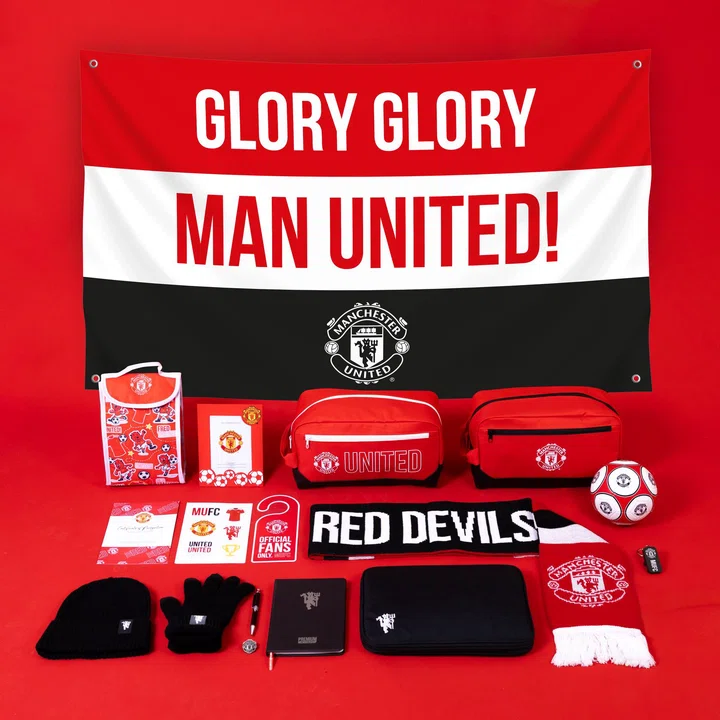
加入曼联官方会员,享受多重权利和福利,包括购买球票的权利,还能获得会员礼包、个人认证卡片、老特拉福德博物馆和文化中心门票五折优惠、网上旗舰店与红魔咖啡馆10%的折扣。点击此处,了解如何成为官方大家庭的一员。
什么是官方会员?我该如何加入?
Renewal payments for Memberships are usually processed at the end of May. You will be contacted directly to notify you of the payment date each season.
You will receive a tracking link for your Membership pack once it has been despatched. We aim to despatch this at the start of every season, around August. If you have purchased a Membership after this, we aim to despatch this as soon as it is ready from our partner warehouse and you will receive a tracking link in your email once this occurs.
Yes, Official Membership makes a perfect gift! There are two ways you can do this:
1. Click here and select the Membership you would like to purchase. Create an account for the gift recipient using your email address so they don't receive a booking confirmation which might spoil the surprise! Please also take care to provide the address you would like the Membership pack (if applicable) posting to. Once the gift has been received, details can be updated in the 'General Info' section of your online account.
2. Buy a Gift Voucher so the recipient can choose what to spend it on themselves.
Yes, Junior Membership is the perfect way to introduce a child to football and our Manchester United family. For a reminder of the exclusive Junior Membership benefits, click here.
1. Log in to the site (if you have not made an account before, you will have to complete registration to be able to purchase) and select 'Buy Now' under Junior Membership.
2. Use the red 'Change' pencil icon to assign the Junior Membership to your child. You can use the 'search' or 'create' options depending whether they already have an account with us.
3. Once the Junior Membership is assigned to the child, follow the on-screen prompts to complete your purchase.
You can download your digital Membership Card from your online account. Go to the 'Memberships' section of your online account, and select 'Download' next to the relevant Membership.
Please log in to
where you can update any personal details including address, contact details, payment information etc. To update your card please follow the below instructions once logged in:
1. Hover over your name in the top right hand corner and select memberships.
2. Select the Membership you wish to update the card for (please note you can only select one at a time), then select 'manage auto renewal'.
3. This will pop up with a page, where you can select an existing card on your account from the drop down, or select '+add new' to add a new card. Pease note in this section you can then choose to update the card for other supporters you have a strong relationship with.
4. Select 'OK', once you have done this to save the changes.
Renewal payments for United Membership are usually processed at the start of June. You will be contacted directly to notify you of the payment date.
As a Premium, Official or Junior Member you receive exclusive access to Premier League home match tickets. Forwarding Members cannot buy/apply for tickets, but can receive forwarded tickets from Season Ticket holders only. Choose your matches: Visit our home game page to view the list of home matches on sale. Home cup games will be added to the fixture list as applicable after the relevant draws. Tickets must be purchased online, one tickets per Member, and you can pick your seat from the stadium plan. You'll be asked to login as part of the online purchase process, and you'll need your Membership number to hand to do this. Applying for tickets: For selected home games, you'll need to apply in a ballot for the chance to secure a ticket. You can do this at tickets.manutd.com/ballots when applications open. Domestic away games and cup finals: Tickets for these games are not available for Official Members.
You will be sent a link to your digital yearbook to the email address linked to your account when you join.
Can't find the answer to your query? View our other FAQs or Contact Us.